Our own interface
Home, Recents, Browse, Library and Search, with pages for playlists, albums, artists and podcasts and large touch targets. Navigation at the side, or along the bottom in portrait.
An experimental Spotify Automotive player for Android head units, with an interface of its own made for the car: one APK, one icon and the standard Spotify sign-in. Free — never pay for it.
Download test.12 APK ↗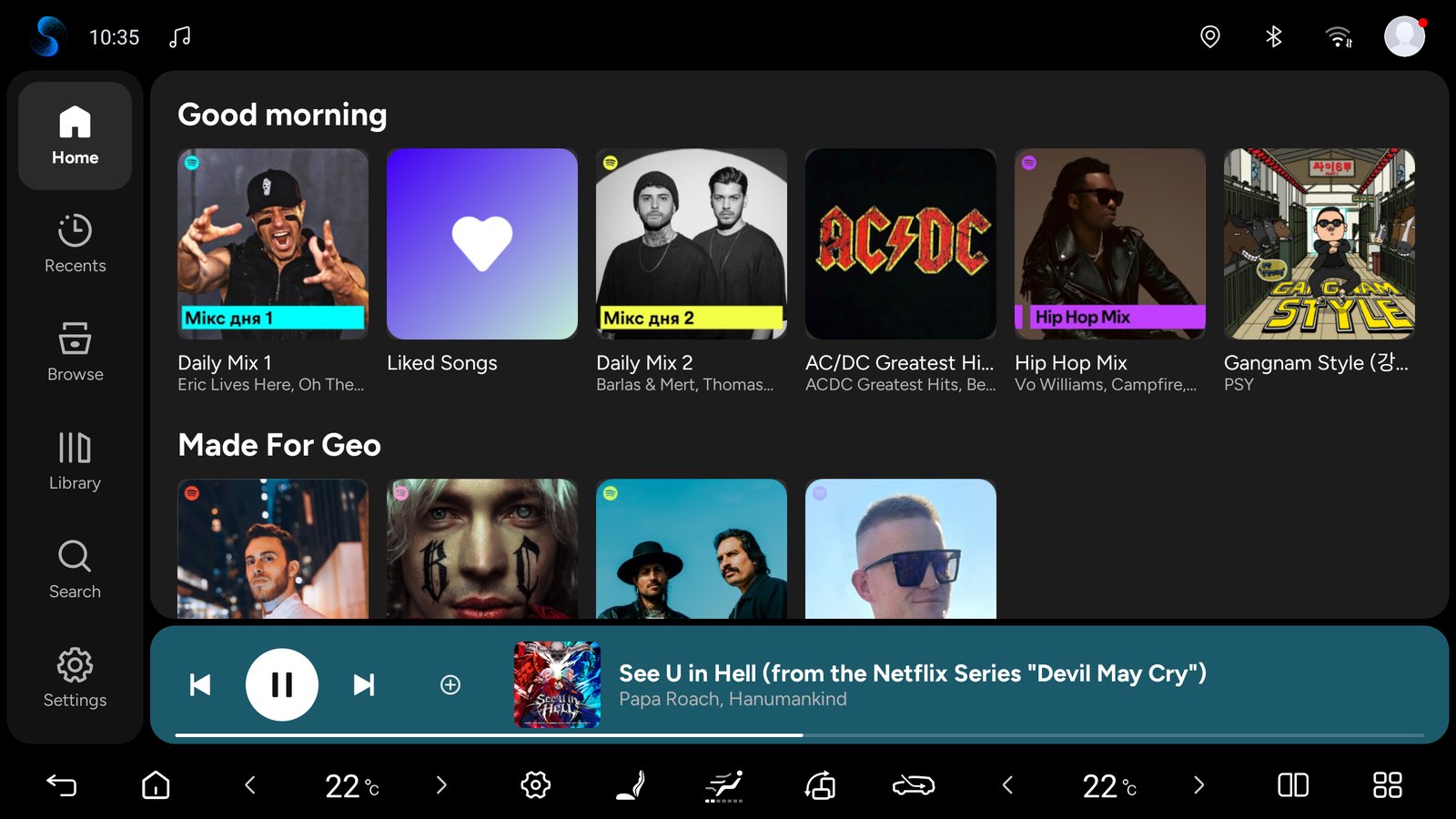
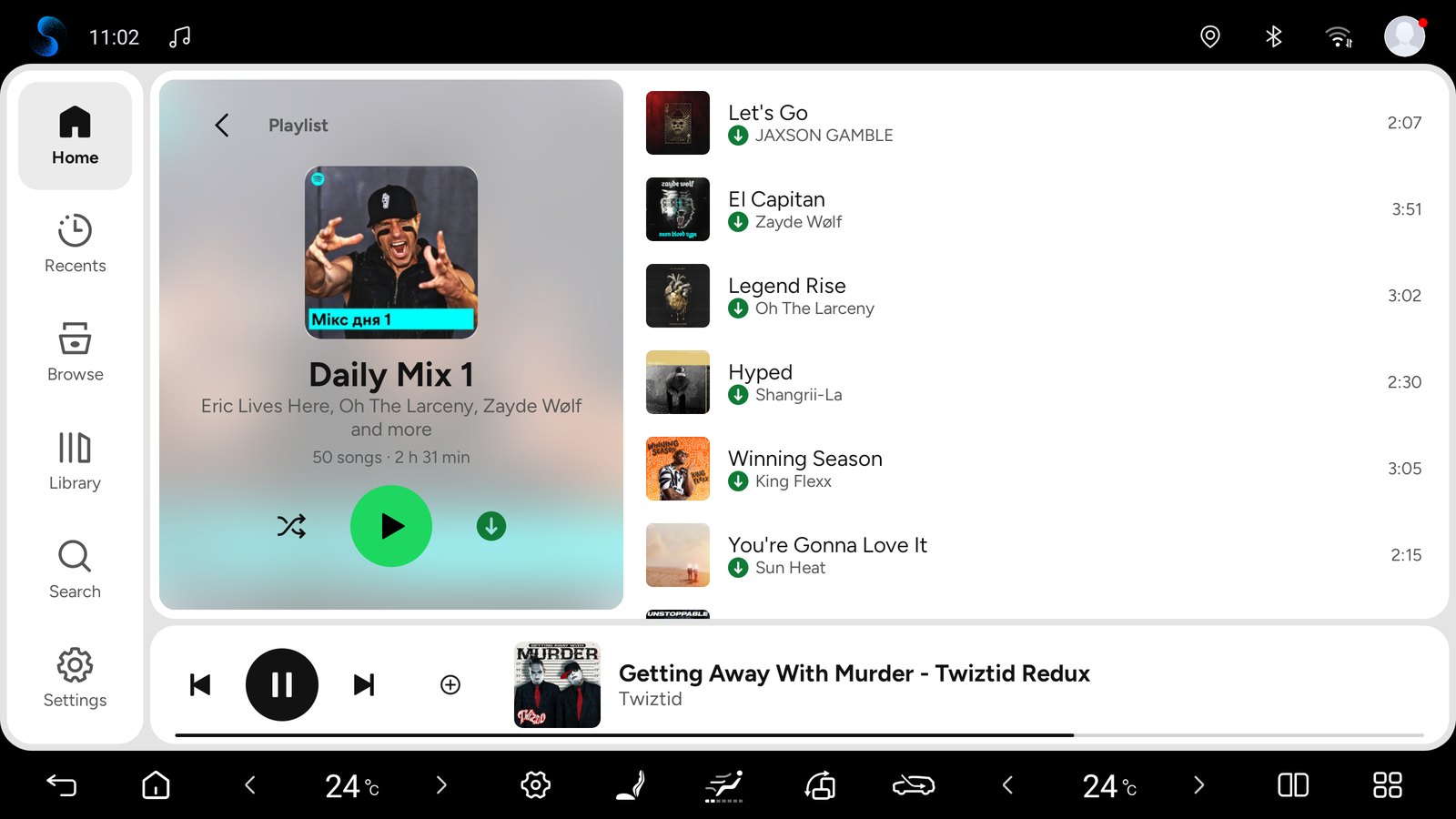
Home, Recents, Browse, Library and Search, with pages for playlists, albums, artists and podcasts and large touch targets. Navigation at the side, or along the bottom in portrait.
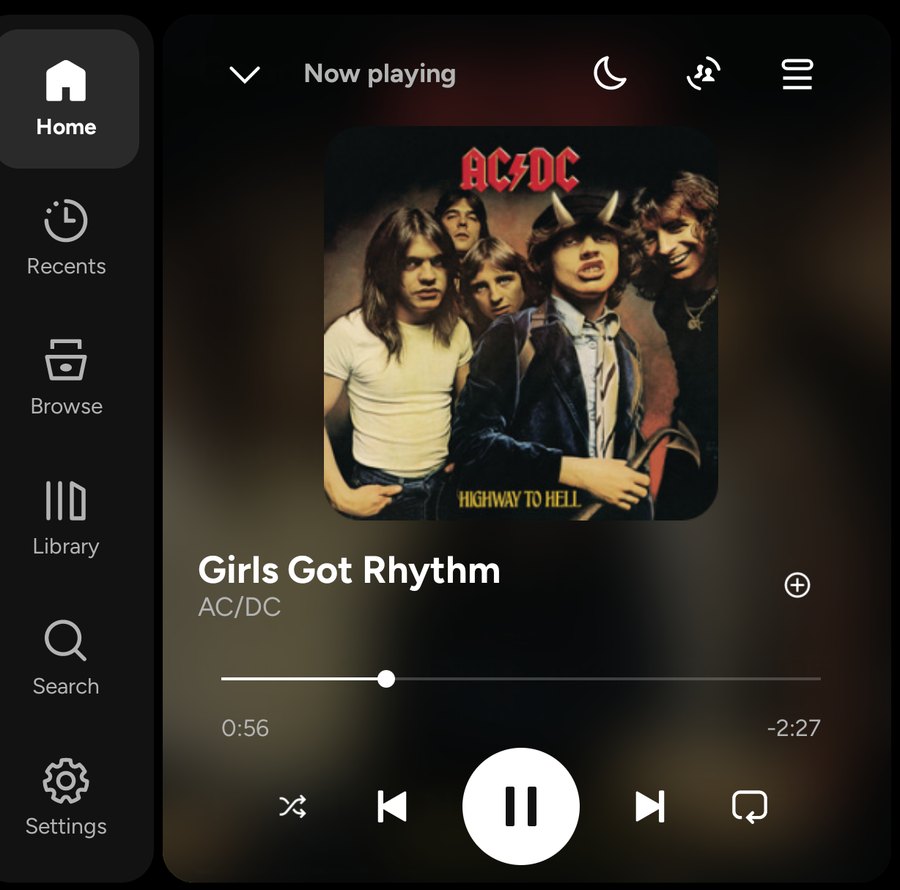
The player, the mini-player and page headers sit on their cover, blurred. The controls stay on the driver's side; swipe the mini-player up to open the player.
The queue opens over the player: play or remove tracks, start song or artist radio, or open Jam. The moon button pauses the music after 15–60 minutes or at the end of the track.
Download playlists and albums to listen offline (Spotify Premium). A green arrow marks downloaded songs, and the page counts them while it downloads. Experimental.
This app is free. If someone sold it to you, you were misled — ask for your money back. Download it only from this page. It is unofficial, not made by Spotify or BYD.
The interface fits half the screen next to navigation and portrait screens; in landscape the keyboard lies over it instead of squeezing it.
Results while you type, grouped like Spotify's, with recent searches. A microphone appears when the head unit has a speech recogniser (BYD DiLink has none — use the steering-wheel voice button).
The interface and music service run within a single installed package.
Tap LOG IN, scan the code with your phone, and confirm your Spotify sign-in.
Open Head unit settings → Accounts to add an account with QR sign-in, rename saved accounts or switch between them.
A pinned device ID, safe removal of old accounts and one automatic restore per boot keep Spotify signed in. Head unit settings show the last sign-in event.
Spotify checks for new test builds daily and installs them after you confirm Android's Update window. Head unit settings → Updates has the switches and buttons. Builds older than test.9 need one manual install.
Head unit settings has separate options for resuming after boot or a long sleep and for playing on a new Spotify launch. Playback waits for the player to be ready; pause cancels automatic retries.
Spotify starts and stops the car’s own lighting rhythm with playback. Enable Music rhythm in the vehicle’s ambient-light settings; the car controls colours and effects.
Preview and send a technical report, track or cancel pending reports, and export a ZIP. Automatic reporting is optional after the first-use notice.
Open Head unit settings → Support. Send diagnostics lets you preview approved technical data before sending. Reports go to our shared server and a limited summary may appear in this project’s PUBLIC GitHub Issues. Automatically send diagnostics is selected on the first-use notice and starts only after Continue; you can turn it off in Support. Automatic reports cover measured integration failures only, at most one new report per day. Manual sending, pending status/cancellation and ZIP export remain available with automatic sending off. Reports exclude account data, song/playlist names, location and screenshots. Technical metadata is not a guarantee of anonymity.
Headunit-test.12 replaces the BYD-derived interface with one of its own: Home, Library, Search, pages for playlists, albums, artists and podcasts, a full-screen player and the queue on blurred cover art, download progress, a sleep timer and a notice that the app is free. It was made with the full reference build. The release audit reports 46 PASS / 0 FAIL, 152 updater and 39 sign-in checks pass, and the signing certificate equals test.11. On Android 9 and 13 emulators test.12 installs as an update over test.11 and runs its update check without a crash. Pre-release builds ran in a BYD car (DiLink 5, Android 12): landscape, portrait and split screen with navigation, QR sign-in, steering-wheel buttons and Spotify Connect.
Experimental headunit-test.12. The exact release file has not been installed in a car yet. Right-hand-drive layouts, DiLink 5.1 / Android 13 and other head units remain unverified; Arabic was checked on an emulator only. Spotify keeps downloads off for its Automotive client; this build turns the client's support on, so Spotify may change how downloads behave.
Android 9+ (API 28). BYD rhythm is verified on DiLink 5 / Android 12; DiLink 5.1 / Android 13 and other firmware are not yet verified. AAOS and GENERIC profiles are implemented; real head units from other manufacturers and AAOS remain unverified.
SHA-256 of the current test build:
00f82a80d9a40d9d3138c3fde1d4c3c88edf270c380c54a70fa01032ab6982a1Our Java code — the interface, the integration, patch and build scripts, audits and emulator tests — is in the repository. The proprietary Spotify backend is a local build input. The APK still contains parts of the BYD (Vivid) player app (its media service for the car's voice assistant, resources and a typeface); they are to be removed.